Requirements: 5.0 and up
Overview: MT Manager is a very powerful file manager and apk editor, you can use it to do a lot of things on your device, such as managing files, modifying and translating applications, editing text and so on.
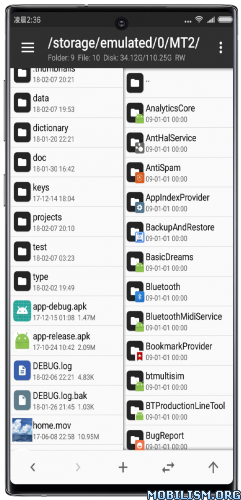
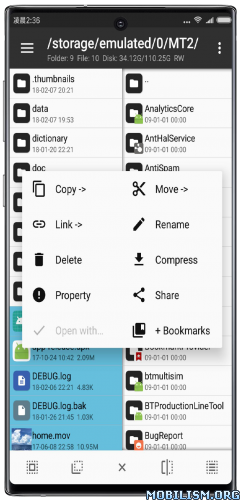
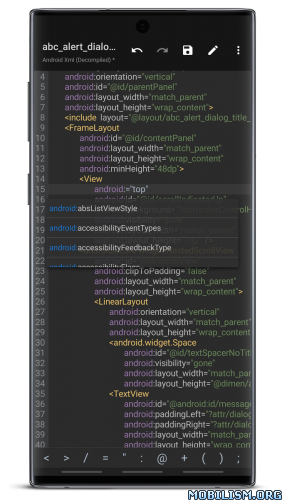
Features:
– FTP client
– Viewing the java code
– Support for keystore and jks signatures [VIP]
– Search History
– Search in XML files
– Search by ID in arsc
– Support for several dictionaries in the translator (UTF-8 without BOM) [VIP]
– Removing and adding localizations
– Fast transfer of unique strings to the desired localization
– Batch operations (delete, copy, move, rename)
– APK/ZIP Signing
– Cloning of APKs
– Optimizing APK
– APK Encryption
– Creating a backup (.bak)
– Convenient color change in arsc
– Current Activities List
– Remote access via WiFi
– Decompilation / Compiling XML [VIP] (non-vip is limited to only 200-lines)
– Arsc Editor
– DEX Editor
– Fix DEX files [VIP]
– Text editor with syntax highlighting
– Comparison of text files up to 500 KB [VIP]
– View fonts (.ttf)
– Executing scripts
– Working with RAR (opening / unpacking)
– Work with ZIP (compression / unpacking)
– Multi-choice
– View / edit / delete / add classes, methods, domains, permanent
– Baidu Translator, Yandex and Google [VIP]
What’s New:
– [New] Batch clearing of historical input records for file search function
– [New] EUC-JP and EUC-KR encoding options added to text editor
– [New] Display of target and minimum system version attribute information for APK
– [New] Dex repair adds option to replace never-executed instructions with nop
– [New] Links injected file provider function with data directory navigation function in APK information interface.
– [Optimized] Upgraded built-in regular expression engine, significantly improving search performance; expression replacement now supports named capture groups
– [Optimized] Automatic scrolling algorithm when selecting text in text editor (using smooth scrolling, with scrolling speed increasing as scrolling distance increases)
– [Optimized] WebDAV adds corresponding MIME type parameters when uploading files
– [Optimized] Text editor statistics function only counts selected text when text is selected
– [Optimized] Improved file download performance of network storage function when multi-threaded transfer is enabled.
– [Fix] issue where decompression dialog box would not automatically disappear when canceling password input when decompressing a RAR file.
– [Fix] Dex+ search for fields/method calls may freeze for extended periods due to excessively long strings in code
– [Fix] Enabling APK installation anti-automatic deletion option on some systems causes system installer to crash
– [Fix] On Xiaomi systems, changing APK icon is ineffective due to APP icon being cached by system
– [Fix] Data reuse optimization function causes APKs to fail to install on Android 8.0
– [Fix] When directly opening files in some compressed archive formats, decompression operation cannot be canceled
– [Fix] Arsc+ search result preview may be incorrect when searching strings
– [Fix] issue where plugin function was unusable on Android 8.0
– [Fix] issue where select all function was not working in translation mode interface
– [Fix] serious performance issue with network storage function
– [Fix] problem with frida and xposed options in dex+
– [Fix] issue with SVG to XML conversion function
Starting in 2026, MT will adopt “2.Year.Month” format for version numbering.
Previously, we used the “2.MajorVersion Number.MinorVersion Number” format, where major versions typically represented significant changes and minor versions were used for bug fixes. However, each MT update often includes both new features and bug fixes, and may even introduce new issues, making the “major/minor version” distinction less meaningful and prone to misunderstanding.
For past few years, MT has maintained a roughly monthly update schedule, so using a time format better aligns with release pattern and makes it easier for users to immediately identify latest version.
Package Info:
● Languages: Full Multi Languages;
● CPUs: armeabi-v7a, arm64-v8a, x86, x86_64
● Screen DPIs: 160dpi, 240dpi, 320dpi, 480dpi, 640dpi;
● Untouched apk with Original Hash Signature, no [Mod] or changes was applied;
● Certificate MD5 digest: 1a32f661095560285c0f7ea0b521cb45
This app has no advertisements
More Info:
https://mt2.cn
https://t.me/mtmanager
Download Instructions:
https://upfiles.com/V5YMyu3
Mirror:
https://frdl.my/nkm590jyrlr4/
https://cloudfam.io/7377f49e1c57
Clone:
https://upfiles.com/2uIG
Mirror:
https://frdl.my/pwj5s5bz2gv4
https://cloudfam.io/35fcd1d80ae0
TargetSDK 28:
https://upfiles.com/B3Gk74
Mirror:
https://frdl.my/33hpyivj2ith
https://cloudfam.io/16f350fde9ae
TargetSDK 28 Clone:
https://upfiles.com/HlT71UiK
Mirror:
https://frdl.my/7kf4qsy5huzv
https://cloudfam.io/af85b91690fe.